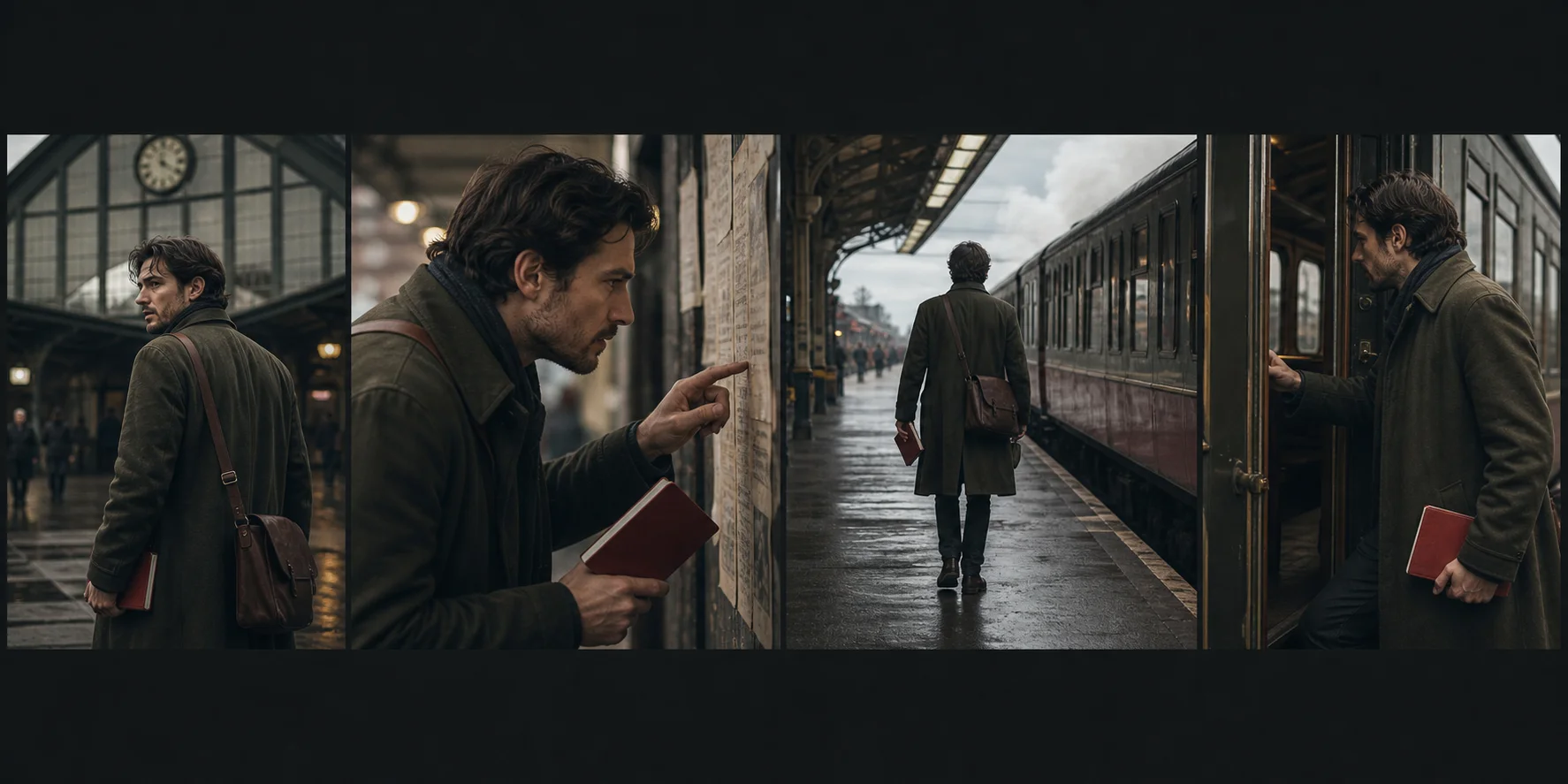
Use timed beats, stable identity anchors, deliberate transitions, and a continuity ledger to keep multi-shot generations readable and editable.
Decide whether the sequence belongs in one generation
Native multi-shot generation can preserve momentum, audiovisual timing, and connected action. Separate clip generation gives more control over retries, model routing, duration, and editorial selection.
Choose one generation when the transition itself carries meaning. Choose separate shots when one difficult beat should not force the entire sequence to be regenerated.
Write beats with timestamps
Divide the duration into clear intervals. For each interval, direct framing, subject action, camera behavior, sound, and the transition into the next beat.
A reliable short structure moves from setup to change to consequence to payoff. Every cut should reveal new information or increase pressure.
Lock continuity anchors
Select a small set of details that must persist: face, hair silhouette, wardrobe, product geometry, hero prop, light direction, time of day, or screen direction.
Keep a continuity ledger beside the prompt. Repeating every visual detail in every beat creates noise; repeat the anchors that actually hold identity and story logic together.
Make transitions explicit
Name how one beat becomes the next: action match, whip pan, occlusion, foreground wipe, hard cut, light change, sound bridge, or camera movement through a surface.
Transitions are easier to generate when they are motivated by an object or action already present in the scene.
Direct sound across the cut
Use dialogue, ambience, effects, or music to connect beats. A sound that begins before the visual cut can prepare the viewer for the next space. A repeated effect can provide rhythm and continuity.
If native sound is unreliable, preserve the timing notes and rebuild the sound bridge in post-production.
Review the sequence twice
First watch without sound and check story, direction, identity, and edit logic. Then listen without watching and check dialogue, rhythm, ambience, and transitions.
Reject a visually impressive sequence when the viewer cannot follow what changed. Multi-shot generation succeeds when every beat remains readable inside the whole.
Questions creators ask
How should a multi-shot AI video prompt be structured?
Divide the duration into timed beats and direct the camera, subject action, sound, and transition for each beat while repeating only essential continuity anchors.
What causes continuity to break between generated shots?
Continuity often breaks when identity references are weak, too many variables change together, or the prompt does not state what must persist across the cut.
Is one multi-shot generation better than separate clips?
Use native multi-shot generation when connected motion and timing matter. Use separate clips when shot-level control, retries, or editorial flexibility matter more.
Built from production practice, primary product documentation, and repeatable workflow checks. Read our editorial standards.